Why Isn’t My Contracting Company Showing on Google Maps? (And How to Fix It)
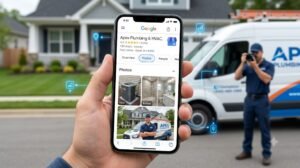
When a homeowner needs a roof repair, a panel upgrade, or a quick plumbing fix, their first step is almost always a Google search. If your contracting company isn’t appearing on Google Maps or in the coveted “Map Pack” top 3 results, you are missing out on high-intent local leads every day.
The good news? This is a fixable problem. Whether your listing is completely missing or just buried beneath your competitors, here are the primary reasons why your contracting business isn’t showing up on Google Maps—and how you can fix it.
1. Your Google Business Profile Isn’t Verified
If you just set up your Google Business Profile (GBP) or created one years ago and never finished the setup, Google won’t display it to the public.
The Issue: Google requires proof that your business is legitimate before showing it on Maps.
The Fix: Log in to your Google Business Profile Manager. Look for a banner asking for verification. Google typically verifies contractors via postcard, phone call, or a brief video submission showing your branded vehicles, tools, or business documentation
2. You’re Using a PO Box, Virtual Office, or UPS Store Address
Contractors often operate out of home offices and use UPS Store addresses or PO Boxes for privacy.
The Issue: Google explicitly bans PO Boxes, UPS Store addresses, and unstaffed virtual offices for GBP listings. If caught, your profile will be soft-filtered or suspended outright.
The Fix: Switch to a Service Area Business (SAB) setup. Input your actual residential address as your physical location, but check the box to hide your physical address from the public. Then, define your service area by entering specific cities, counties, or zip codes.
3. Your Primary Category Is Set Incorrectly
Google relies heavily on business categories to decide when to show your company.
The Issue: Choosing a broad category like “Consultant” or “Construction Company” instead of a specific primary category (e.g., “General Contractor,” “Roofing Contractor,” or “Plumber”) prevents Google from matching you with specific service queries.
The Fix: Review your primary business category. Make your main revenue driver your Primary Category, and add specific services (e.g., “HVAC Contractor,” “Deck Builder”) as Secondary Categories
4. Duplicate or Suspended Listings Are Blocking You
If you rebranded, moved locations, or previously created multiple accounts, duplicate profiles might be suppressing your account.
The Issue: Google hates confusion. If multiple listings exist with similar names or phone numbers, Google may suppress all of them.
The Fix: Search Google Maps for your business name and address. If you see duplicate listings, claim them and request a merge through Google support, or mark the duplicates as “Permanently Closed” or “Duplicate”.
5. Inconsistent NAP (Name, Address, Phone) Data
Google scans the web to confirm your business details.
The Issue: If your business name is listed as “ABC Plumbing LLC” on Facebook, “ABC Plumbing” on your website, and “ABC Plumbing & Heating” on Yelp, Google’s algorithm loses confidence in your business’s authority.
The Fix: Perform a local citation audit. Standardize your Name, Address, and Phone number across every single online directory, website, and social platform.
Get Found on Google Maps
Appearing on Google Maps isn’t a one-time task; it requires ongoing optimization. By fixing structural violations, standardizing your business information, and consistently earning fresh reviews, you can move your contracting business off the sidelines and into the local Map Pack where your customers are looking.
Contact us at Contractor SEO Audit if you need help.